CoachTick app icon
Now Available

CoachTick

Scheduling Assistant for Coaches

A smart scheduling and student management tool built for personal trainers, coaches and private teachers. Say goodbye to paper timetables and manage your lessons and students efficiently from anywhere.

📱 iPhone 📱 iPad
Core Features

Core Features

One tool that covers every scheduling scenario a coach faces.

Visual Scheduling Calendar

See your lessons laid out clearly in week and day views, and adjust times with a simple drag. Everything at a glance.

Student Management

Add and manage student profiles with ease. Each student's lesson history and remaining lesson hours are always clear.

Lesson Reminders

Automatic lesson reminders so you never miss a session. Students can receive lesson notifications too.

Lesson-Hour Statistics

Clear charts for monthly and weekly lesson-hour statistics, so your income and workload are always within reach.

Multi-Device Sync

Your data syncs to the cloud in real time and is available on every device you sign in to. Switching devices is seamless.

Data Security

Course data and student information are stored encrypted in the cloud with automatic backup. Safe, reliable and never lost.

Scenarios

Who It's For

Whatever kind of coach you are, CoachTick helps you work more efficiently.

💪

Fitness Coaches

Manage personal training sessions, schedule each client's slot flexibly, and track their training progress clearly.

🏊

Swimming & Sports Coaches

Schedule by venue and time slot to avoid conflicts. Handle bookings, cancellations and rescheduling in one place.

🎹

Music & Art Teachers

Manage one-on-one instrument and drawing lessons, group students by level, and keep lesson fee records and statistics.

📚

Academic Tutors

Create schedules in bulk with reusable templates and manage multiple students' tutoring slots and progress efficiently.

Interface

Product Interface

A clean, intuitive design that makes scheduling a pleasure.

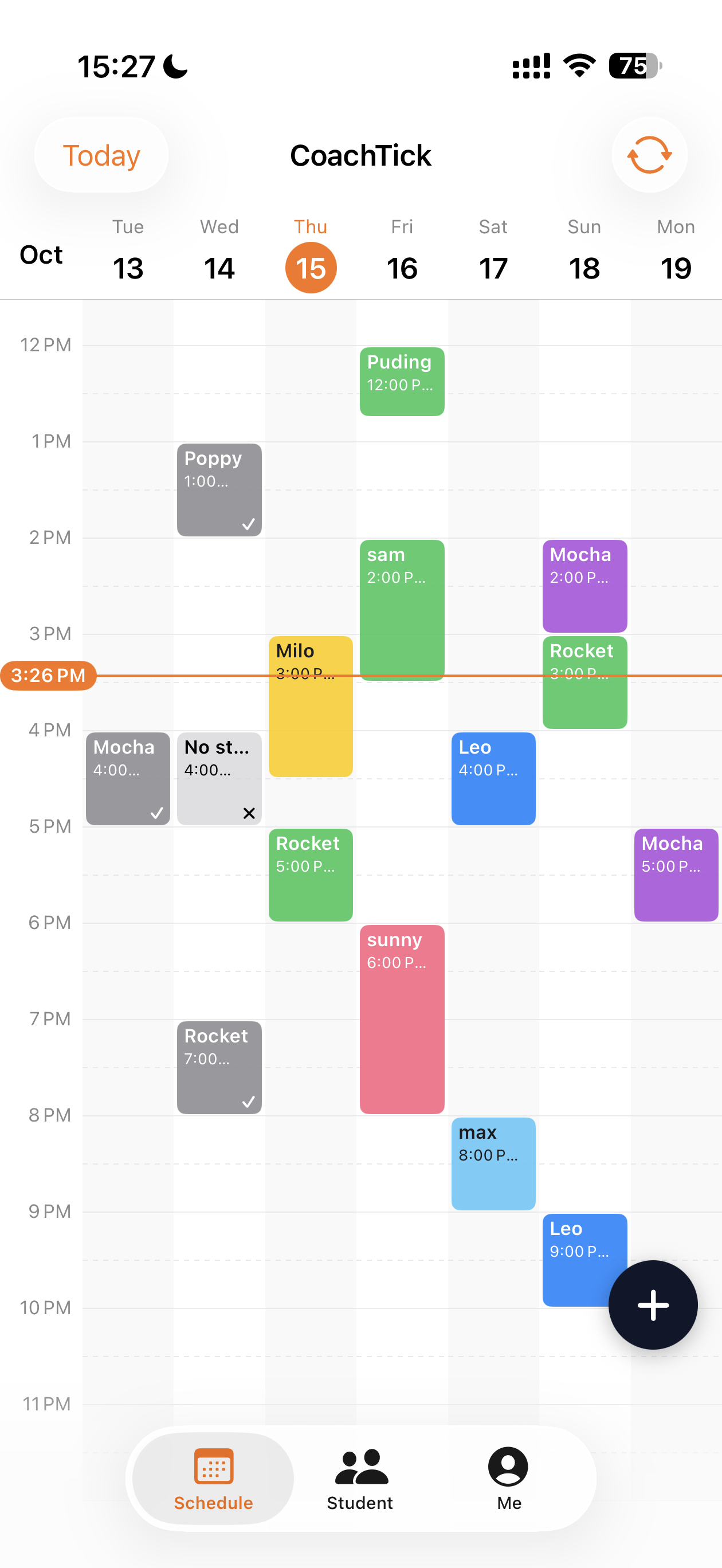
CoachTick scheduling calendar screen
Scheduling Calendar
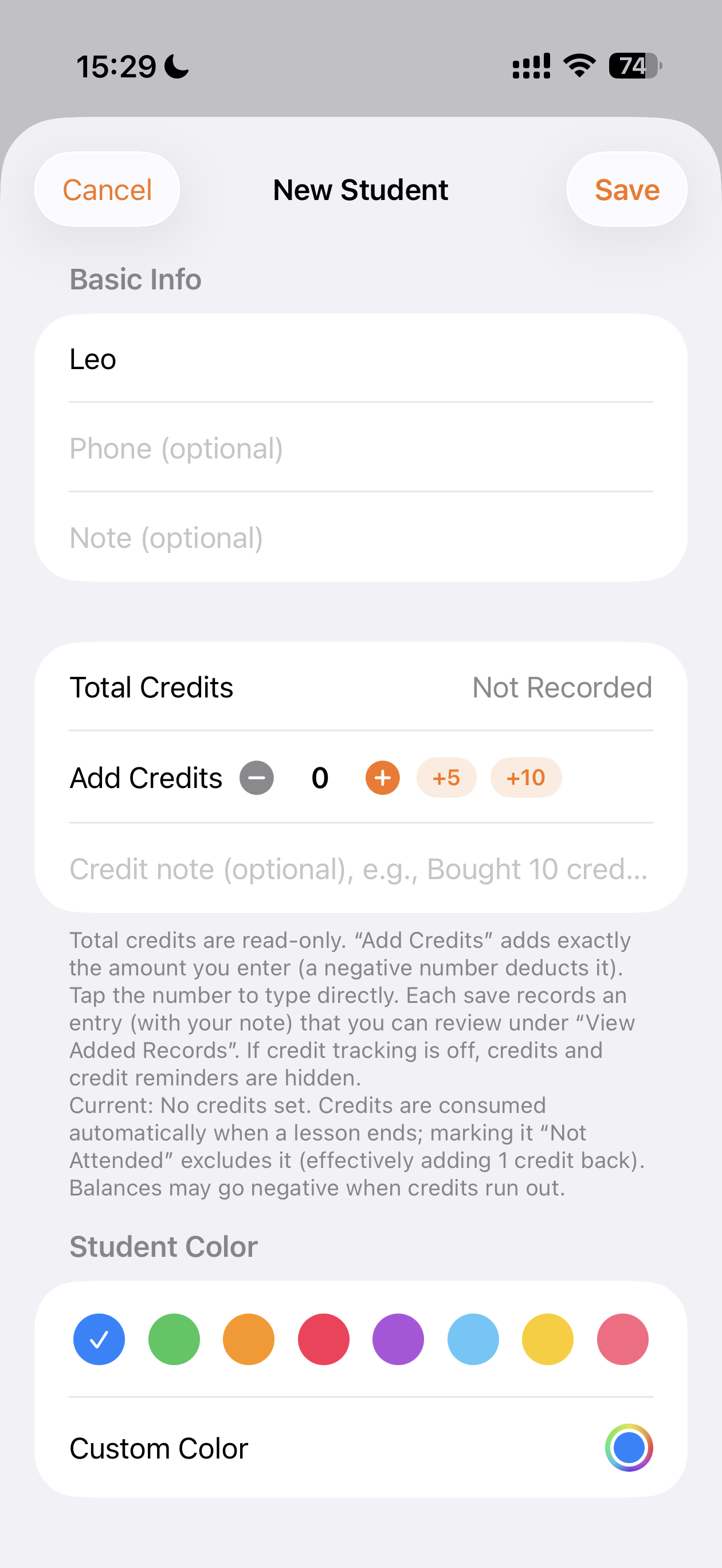
CoachTick new student form
New Student
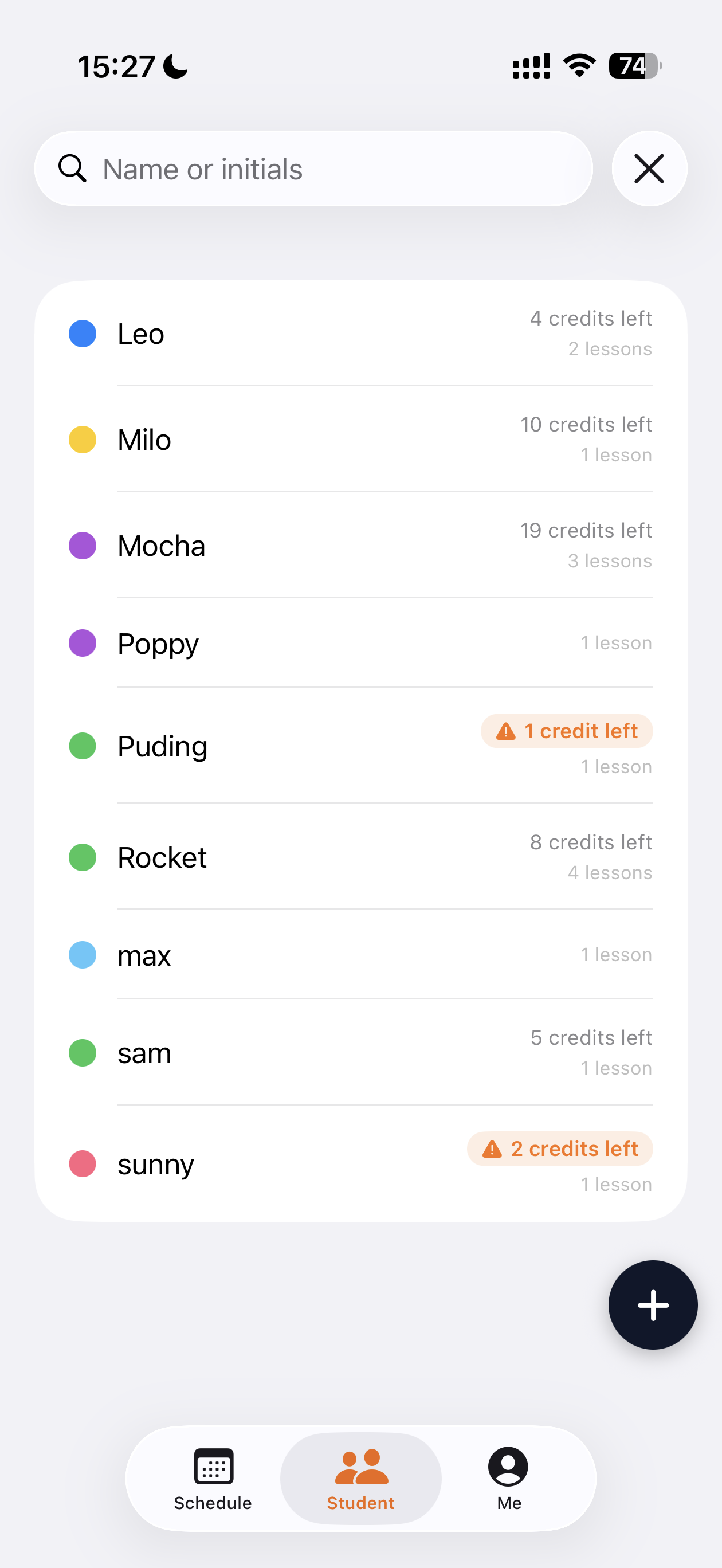
CoachTick student list with credit balances
Student List
↑ The App Store version prevails. Interface language varies by device settings.
FAQ

Frequently Asked Questions

Is CoachTick free?

The basic features are completely free. A premium membership with more data analysis and management features is available.

Which platforms are supported?

iPhone and iPad are supported today, with real-time cloud sync across devices once you sign in.

Can I migrate my existing schedule?

You can import lesson data in bulk from Excel / CSV, or enter it manually item by item. Migration is quick and simple.

Can I share the schedule with my students?

Yes. Students will be able to view their own lesson arrangements, and coaches can share a schedule link with a single tap.

Get Started

Start Using CoachTick

Manage your lessons from anywhere and keep your teaching focused and efficient.

Contact Us More Products